Skins
Der Katalog enthält Community-Mods von GameBanana. Sie sind keine offiziellen kosmetischen Inhalte von Valve.
Skins
Der Katalog enthält Community-Mods von GameBanana. Sie sind keine offiziellen kosmetischen Inhalte von Valve.
Beliebte Skins
Die meistgemochten Reskins über alle Heroes hinweg.
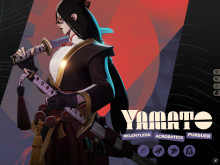 Yamato
 redesign (NEW ICONS and COLORS!)
514
Yamato
Yamato redesign (NEW ICONS and COLORS!)
514
 Ivy
Toon Ivy (SOUL ORB FIX)
335
Ivy
Toon Ivy (SOUL ORB FIX)
335
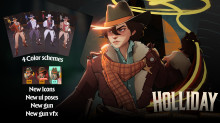 Holliday
 Remodel
332
Holliday
Holliday Remodel
332
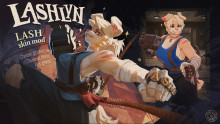 Lash
Lashlyn Lash Skin
260
Lash
Lashlyn Lash Skin
260
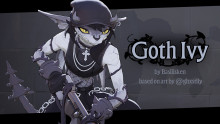 Ivy
Goth Ivy
236
Ivy
Goth Ivy
236
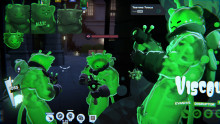 Viscous
glorpyViscous
231
Viscous
glorpyViscous
231
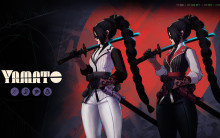 Yamato
 remodel
229
Yamato
Yamato remodel
229
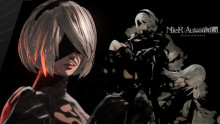 Yamato
2B | Yamato Skin
205
Yamato
2B | Yamato Skin
205
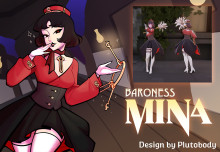 Mina
Baroness Mina
202
Mina
Baroness Mina
202
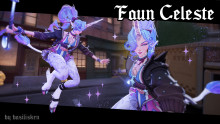 Celeste
Faun Celeste (QUALITY UPDATE)
197
Celeste
Faun Celeste (QUALITY UPDATE)
197
 Doorman
G-Man | The Doorman Skin
191
Doorman
G-Man | The Doorman Skin
191
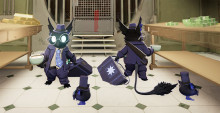 Rem
Rem & Relaxation Skin
189
Rem
Rem & Relaxation Skin
189
Helden
2494 83
Abrams
83
Abrams
 100
Apollo
100
Apollo
 47
Bebop
47
Bebop
 91
Billy
91
Billy
 Boho
Bomber
Boho
Bomber
 Cadence
 51
Calico
51
Calico
 99
Celeste
99
Celeste
 84
Doorman
84
Doorman
 79
Drifter
79
Drifter
 50
Dynamo
50
Dynamo
 Fathom
 Fortuna
 Graf
Graf
 90
Graves
90
Graves
 40
Grey Talon
40
Grey Talon
 Gunslinger
 104
Haze
104
Haze
 68
Holliday
68
Holliday
 55
Infernus
55
Infernus
 74
Ivy
74
Ivy
 Kali
Kali
 25
Kelvin
25
Kelvin
 46
Lady Geist
46
Lady Geist
 99
Lash
99
Lash
 46
McGinnis
46
McGinnis
 117
Mina
117
Mina
 27
Mirage
27
Mirage
 35
Mo & Krill
35
Mo & Krill
 93
Paige
93
Paige
 49
Paradox
49
Paradox
 66
Pocket
66
Pocket
 Raven
Raven
 114
Rem
114
Rem
 Rutger
 52
Seven
52
Seven
 69
Shiv
69
Shiv
 94
Silver
94
Silver
 60
Sinclair
60
Sinclair
 Skyrunner
 Swan
Swan
 The Boss
 Thumper
 Tokamak
 Trapper
 Vandal
 68
Venator
68
Venator
 47
Victor
63
Vindicta
47
Victor
63
Vindicta
 43
Viscous
38
Vyper
43
Viscous
38
Vyper
 35
Warden
35
Warden
 46
Wraith
46
Wraith
 Wrecker
 47
Yamato
47
Yamato
Mods
Alle auf GameBanana durchstöbern
So installierst du
.vpk- 1Auf GameBanana herunterladen
- 2Öffne die Downloadseite des Autors und folge der Anleitung für deine Spielversion.
Skins und Mods in Deadlock
Entdecke 2.494 Community-Skins von GameBanana. Diese Mods sind inoffiziell. Jeder Eintrag verlinkt die Seite des Erstellers mit Vorschau, Voraussetzungen und Installationsanleitung.